In this article, we’ll explore the step-by-step process of deploying an InnoDB Cluster on MySQL, empowering you to harness the full potential of this robust database solution
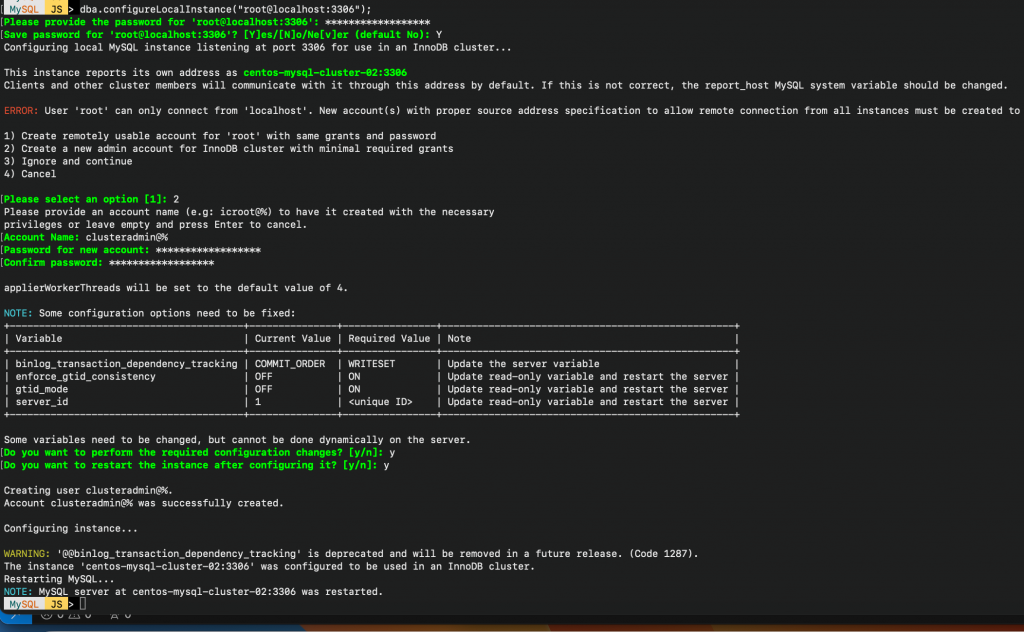
Configure instance
We have three instances for the build cluster. Each instance must be configured individually before joining the InnoDB cluster to achieve fault tolerance. Please repeat this process for each instance
MySQL JS > dba.configureLocalInstance("root@localhost:3306");
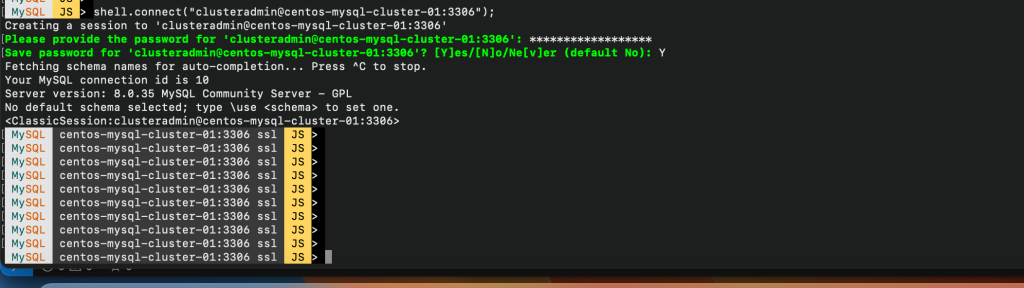
MySQL JS > shell.connect("clusteradmin@centos-mysql-cluster-01:3306");
Create Cluster
MySQL JS > cluster = dba.createCluster('mysql_playground_cluster');

Join / Add new instance to Cluster
MySQL JS > cluster.addInstance('clusteradmin@centos-mysql-cluster-02:3306');
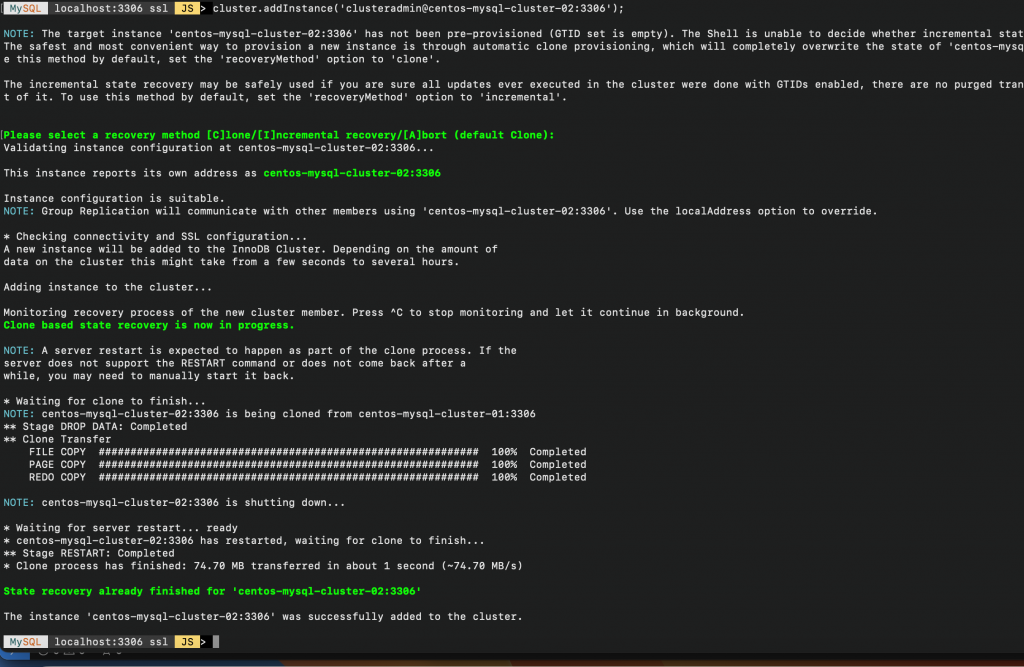
MySQL JS > cluster.addInstance('clusteradmin@centos-mysql-cluster-03:3306');
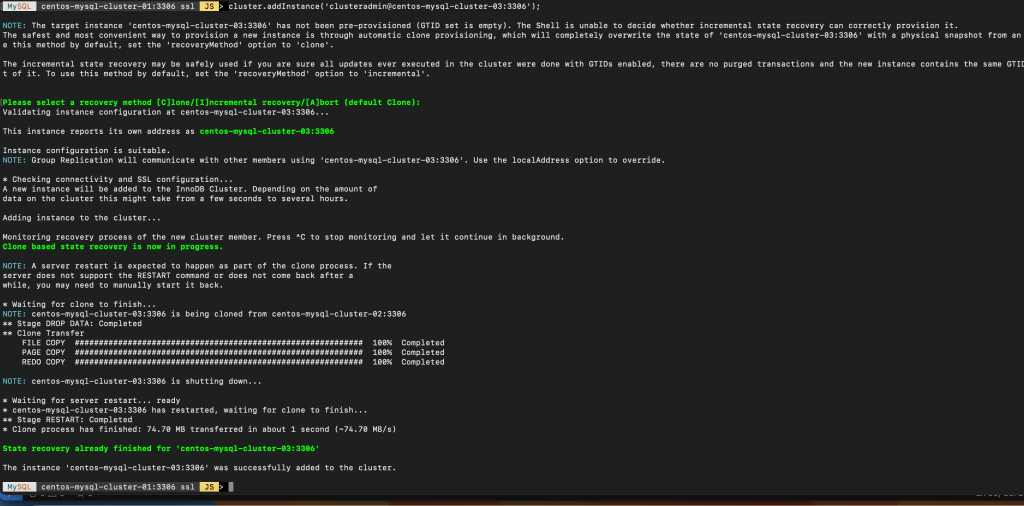
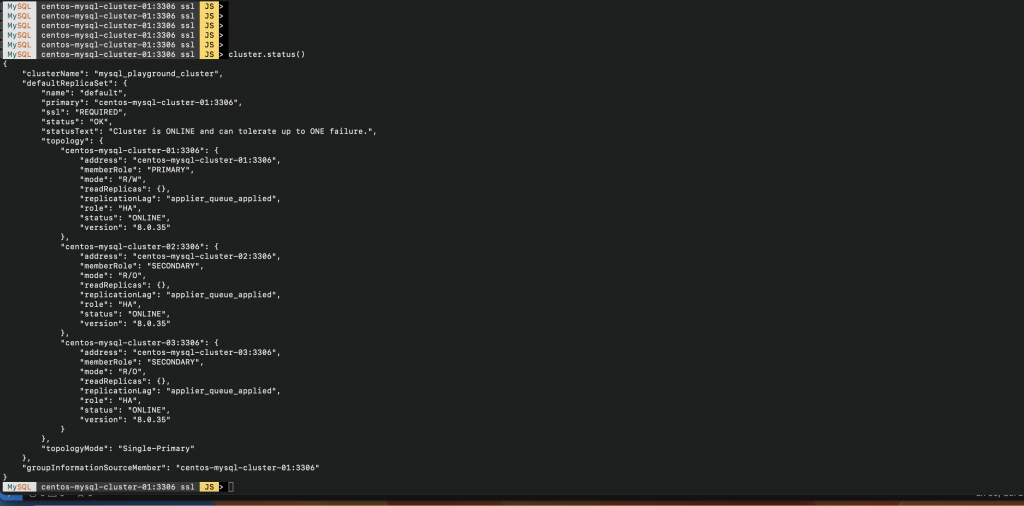
A cluster has been created with 3 nodes ( can tolerate up )
MySQL  JS > var cluster = dba.getCluster();
MySQL  JS > cluster.status()